Category: Case Studies

  • GICMED – Case Study

    GICMED – Case Study

    Project Overview

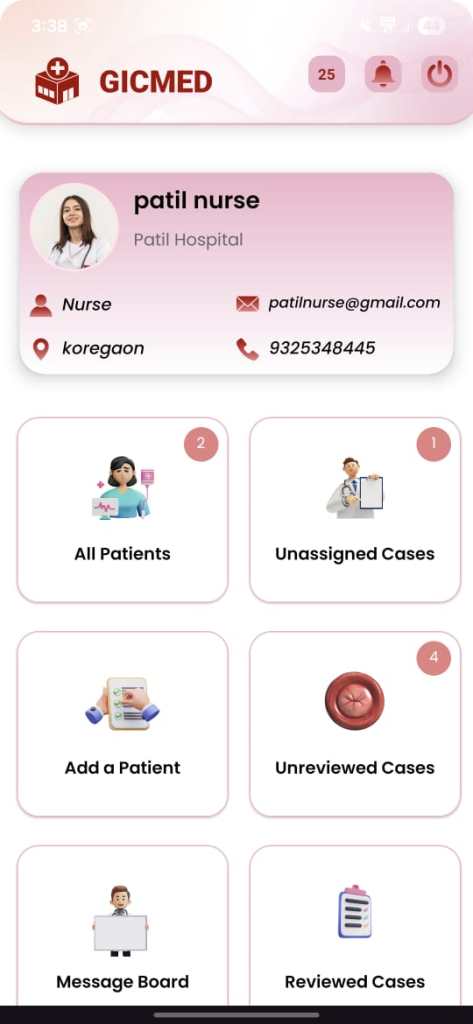
    GICMED is a comprehensive medical case management and diagnostic support application designed for hospitals and clinical environments. The platform enables seamless collaboration between nurses, doctors, hospital administrators, and super administrators through a secure, role-based workflow.

    The system allows nurses to register patients, create medical cases, and capture clinical images and videos using an integrated UVC (USB Video Class) endoscopy camera directly within the Android application. Once a case is completed, it can be assigned to doctors for review and diagnosis, with results reflected instantly across the system.

    By combining native Android development, real-time communication, local + cloud data storage, and hardware integration, GICMED digitizes and streamlines the entire patient case lifecycle.

    Google Playstore Logo
    iOS AppStore Logo

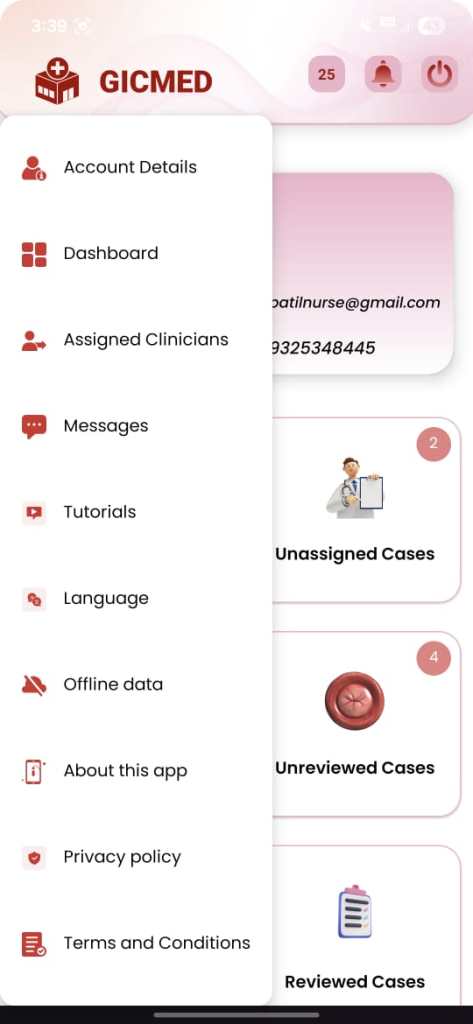
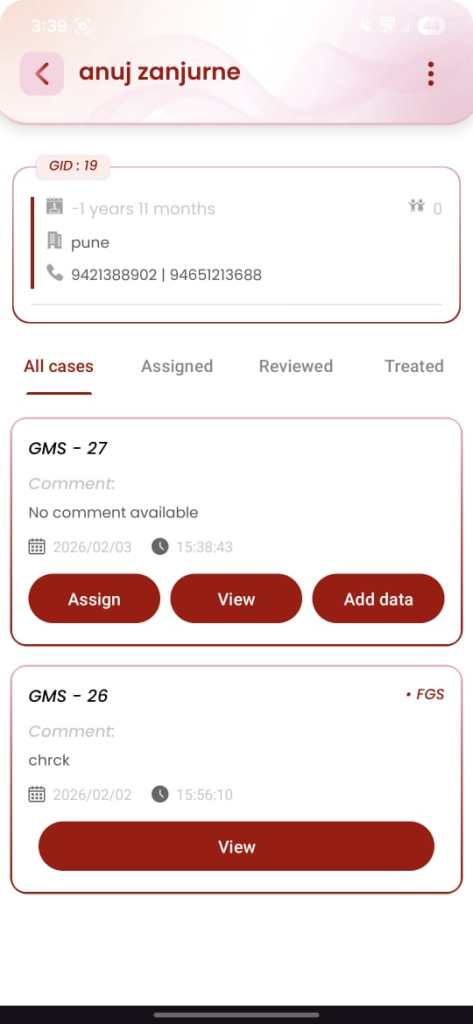
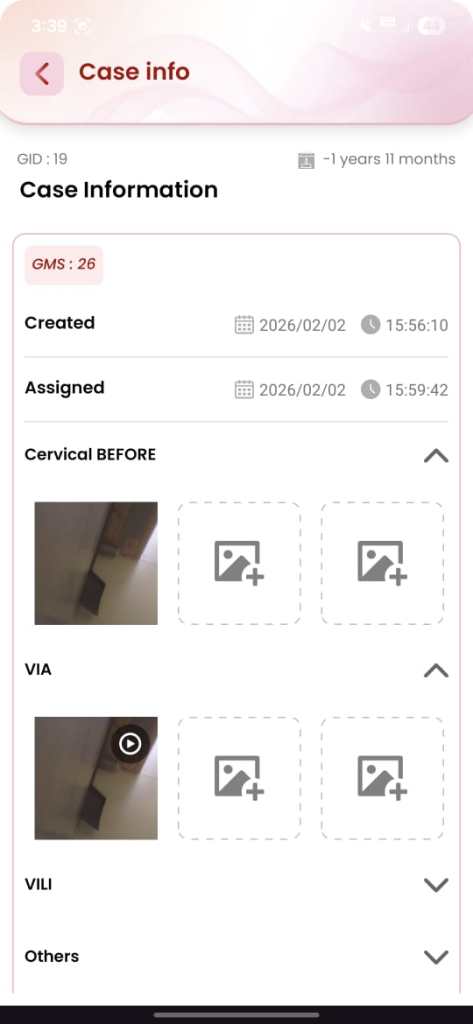
    App Interface

    Key Features

    1. Role-Based Access Control
      • Super Admin, Hospital Admin, Nurse, Doctor
      • Each role has clearly defined permissions and data visibility
      • Secure login system with role-based routing
    2. Patient & Case Management
      • Nurses can:
        • Register patients
        • Create multiple cases per patient
        • Edit patient and case details
      • Auto-generated unique IDs:
        • Patient ID (GID-x)
        • Case ID (GMS-x)
    3. Medical Image & Video Capture
      • Direct integration of UVC endoscopy camera
      • Capture high-quality images and videos within the Android app
      • Media stored securely and linked to the correct case
      • Optimized handling for medical imaging workflows
    4. Doctor Case Review Workflow
      • Doctors receive cases only from assigned hospitals
      • Dashboard divided into:
        • Not Reviewed cases
        • Reviewed cases
      • Diagnosis workflow includes:
        • Result selection (Positive / Negative / Inconclusive)
        • Detailed textual comments
      • Instant update of diagnosis visible to nurses and hospital staff
    5. Hospital & Credit Management
      • Super Admin can:
        • Create hospitals with auto-generated codes (H1, H2, …)
        • Assign case credits (1 credit = 1 case)
      • Hospital Admins can monitor all activity within their hospital
    6. Real-Time Communication
      • In-app messaging between:
        • Nurses
        • Doctors
        • Admins
      • Real-time notifications for:
        • Case assignment
        • Case review completion
        • Messages
    7. Offline & Online Data Handling
      • Local database for offline usage and reliability
      • Firebase backend for : Real-time synchronization , Secure cloud storage , Instant data updates across users

    Challenges

    1. OCR Accuracy
      Challenge
      : Integrating a UVC (USB Video Class) endoscopy camera with a native Android application was one of the most critical challenges. Android does not provide full native support for external UVC medical cameras, which led to issues with device recognition, connection stability, and stream handling during image and video capture.
      Solution: To overcome this, a dedicated UVC camera library was integrated into the application. Custom handling was implemented to manage USB permissions, device lifecycle, and camera initialization. Additional optimizations were applied to ensure stable streaming, reliable capture, and smooth interaction between the hardware and the Android app.
    2. Medical Image and Video Quality Optimization
      Challenge
      : Medical diagnosis depends heavily on image and video clarity. Captured endoscopy images and videos initially faced issues such as compression artifacts, frame drops, and inconsistent quality across devices.
      Solution: Specialized media handling techniques were implemented to optimize resolution, frame rate, and compression settings. The camera library was fine-tuned to balance high-quality output with performance efficiency, ensuring that all captured images and videos met clinical review standards while maintaining smooth app performance.
    3. Role-Based Dashboard Management
      Challenge: Each user role (Super Admin, Hospital Admin, Nurse, Doctor) required access to different datasets, features, and dashboards. Maintaining strict access control while keeping the UI intuitive was a significant challenge.
      Solution: A role-based access control (RBAC) system was implemented. Dashboards, actions, and data visibility were dynamically rendered based on user roles. This ensured that users only accessed authorized data while maintaining a clean and focused interface tailored to their responsibilities.
    4. Role-Based Dashboard Management
      Challenge: Each user role (Super Admin, Hospital Admin, Nurse, Doctor) required access to different datasets, features, and dashboards. Maintaining strict access control while keeping the UI intuitive was a significant challenge.
      Solution: A role-based access control (RBAC) system was implemented. Dashboards, actions, and data visibility were dynamically rendered based on user roles. This ensured that users only accessed authorized data while maintaining a clean and focused interface tailored to their responsibilities.
    5. Offline Support with Local Database
      Challenge: Hospitals and clinical environments may experience unstable internet connectivity, which could disrupt workflows during patient registration, case creation, or media capture.
      Solution: A local database was implemented to store patient, case, and media metadata offline. Once connectivity was restored, data automatically synchronized with Firebase, ensuring no loss of critical medical information and uninterrupted clinical operations.
    6. Secure Multi-Role Communication
      Challenge: Enabling secure and instant communication between nurses, doctors, and administrators while maintaining data privacy and role boundaries was essential.
      Solution: A real-time messaging and notification system was developed with role-based filtering. Users could communicate efficiently while ensuring that messages and alerts were delivered only to authorized recipients.

    Development Process

    Research & Development (R&D) – UVC Camera Feasibility

    • Evaluate the feasibility of integrating a UVC (USB Video Class) endoscopy camera with a mobile application due to the lack of strong, consistent platform support.
    • Activities:
      • Conducted in-depth R&D on UVC camera communication across multiple platforms, including Android and Flutter
      • Analyzed limitations of default camera APIs for external USB medical devices
      • Tested available third-party UVC libraries for:
        • Device detection
        • USB permission handling
        • Stable video streaming
        • Image and video capture quality
      • Compared platform capabilities to finalize Android native development as the most reliable solution for medical-grade camera integration
    • Selected a stable UVC camera library and finalized a native Android approach to ensure reliable hardware communication and high-quality medical imaging.

    Android Application Development

    • Built modular Activities and Fragments for maintainable code structure
    • Integrated selected UVC camera drivers for endoscopy image and video capture
    • Implemented a local database to support offline workflows
    • Developed real-time messaging and notification features
    • Optimized media handling for performance and stability

    Firebase Integration

    • Implemented secure authentication for all user roles
    • Enabled real-time updates for:
      • Case assignment
      • Case review and diagnosis submission
    • Integrated cloud storage for medical images and videos
    • Optimized upload and retrieval for large media files

    Testing & Quality Assurance

    • Tested UVC camera connectivity and capture across supported Android devices
    • Verified role-based access control and data visibility
    • Ensured real-time synchronization accuracy between users
    • Validated offline-to-online data consistency and recovery scenarios

    Testing and Optimization

    Performance Testing

    • Optimized media capture and storage
    • Reduced latency in real-time updates
    • Ensured smooth UI performance under heavy data loads

    Usability Testing

    • Simplified workflows for nurses and doctors
    • Reduced steps for case creation and diagnosis
    • Improved clarity of dashboards and status indicators

    Post-Launch Maintenance

    Ongoing Updates

    • Continuously monitored application performance, crash reports, and system logs to ensure platform stability
    • Delivered regular bug fixes and feature enhancements based on real hospital user feedback
    • Improved UVC camera connection stability and reduced disconnection issues through iterative updates
    • Enhanced medical image and video capture quality through tuning and library-level optimizations
    • Refined role-based dashboards to improve clarity of case status indicators (Unassigned, Unreviewed, Reviewed)
    • Maintained compatibility with the latest Android OS versions and Google Play Store requirements

    Performance Monitoring

    • Monitored Firebase real-time data synchronization to ensure reliable patient, case, and diagnosis updates
    • Tracked case lifecycle flows to identify and resolve workflow bottlenecks
    • Optimized performance for large medical image and video uploads
    • Improved responsiveness of dashboards under high case volumes
    • Enhanced backend scalability without impacting real-time user experience

    Outcome

    • Improved Clinical Workflow Efficiency: GICMED significantly streamlined hospital workflows by digitizing patient registration, case creation, medical imaging, and diagnosis review, reducing manual effort and turnaround time for case handling.
    • Faster Diagnosis & Decision Making: Real-time case assignment and instant diagnosis updates enabled doctors to review cases promptly, improving response time and accelerating clinical decision-making.
    • Reliable Medical Imaging & Documentation: The integration of UVC endoscopy cameras with optimized image and video capture ensured high-quality medical documentation, supporting accurate diagnosis and consistent case records.
    • Clear Case Tracking & Status Visibility: Well-defined case statuses (Unassigned, Unreviewed, Reviewed) provided clear visibility across dashboards, improving coordination between nurses, doctors, and hospital administrators.
    • Enhanced Collaboration Across Roles: Role-based dashboards combined with real-time messaging and notifications improved communication between medical staff, reducing dependency on manual follow-ups.
    • Scalable & Future-Ready Medical Platform: The cloud-backed architecture with local offline support enabled GICMED to scale across multiple hospitals while maintaining data reliability, security, and performance.

    Client Testimonial

    “GICMED has transformed the way we manage patient cases and medical imaging across our hospitals. The ability for nurses to capture endoscopy images directly within the app and assign cases to doctors in real time has significantly reduced delays in diagnosis.

    The role-based dashboards give our staff clear visibility into case status, while the real-time updates and messaging have improved collaboration between nurses, doctors, and administrators. The system is reliable, easy to use, and well-suited for a busy clinical environment. GICMED has become an essential part of our daily medical workflow.”
  • Inbound Genie Application Case Study

    Inbound Genie Application Case Study

    Project Overview

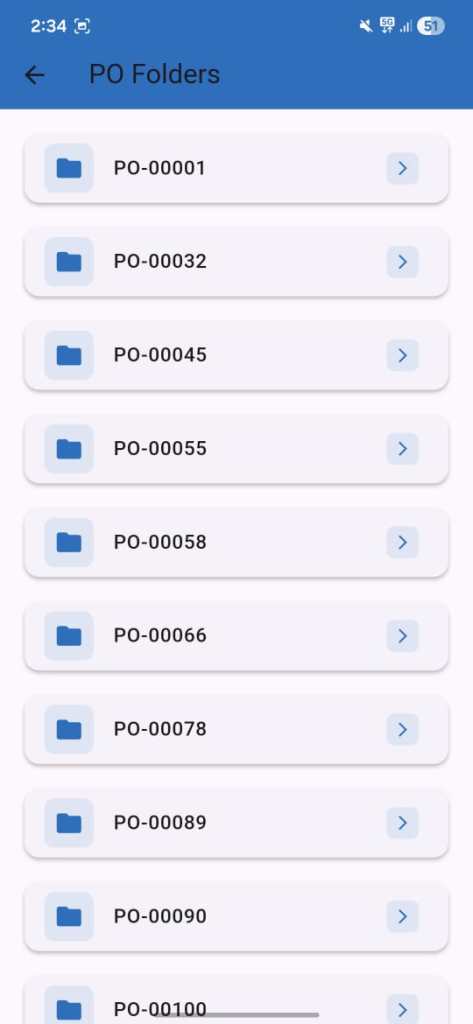
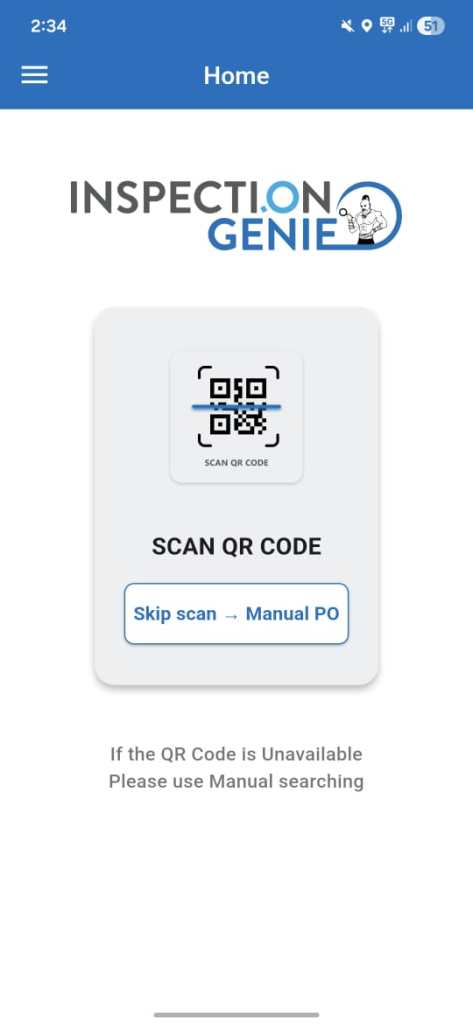
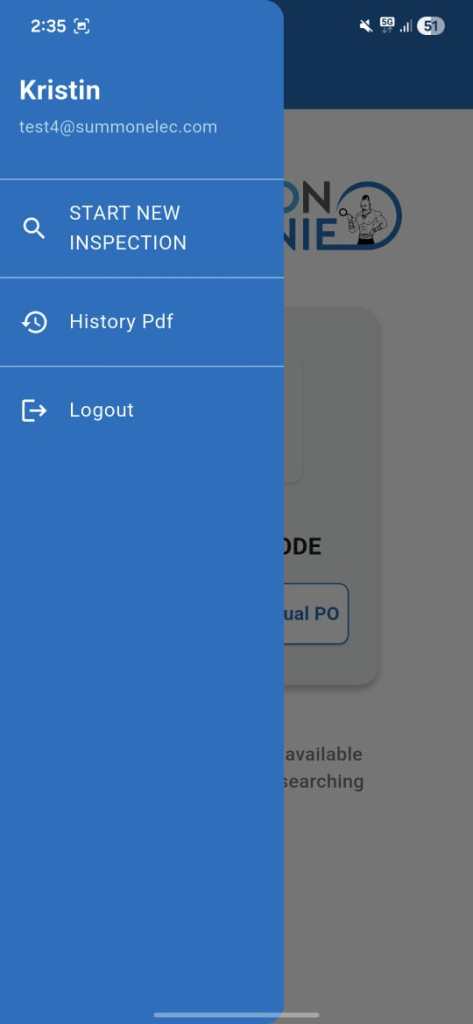
    Inbound Genie is a smart inbound logistics inspection application developed to modernize and digitize warehouse receiving operations. The solution enables warehouse teams to inspect incoming shipments, verify packing slips, capture measurements, and generate professional inspection reports — all through a guided mobile workflow.

    By combining OCR technology, image processing, and cloud storage, Inbound Genie significantly reduces manual effort, paperwork, and inspection errors in high-volume warehouse environments.

    Google Playstore Logo
    iOS AppStore Logo

    App Interface

    Key Features

    1. Guided Inspection Workflow
      • 8-Step Guided Process: Sequential inspection covering package exterior, dimensions, interior condition, packing slip verification, manufacturer labels, and damage documentation
      • Progress Tracking: Visual step progress indicator throughout the inspection
      • Context Preservation: Maintains PO number and tracking information across all steps
    2. Automated Document Processing
      • Packing Slip OCR: Automated text recognition and extraction from packing slip images
      • Intelligent Matching: OCR data compared against expected PO items
      • Match Percentage Scoring: Quantitative accuracy score (0–100%) for packing slip verification
    3. Comprehensive Image Management
      • Multi-Angle Capture: Six exterior views of each package
      • Condition Documentation: Detailed visual records of package and product condition
      • Manufacturer Label Capture: Dedicated capture and storage of product identification labels
    4. Measurement Integration
      • Weight Documentation: Digital capture and storage of package weight
      • Dimensional Recording: Length, width, and height recording
      • Visual Verification: Image support for all measurements to ensure accuracy
    5. Advanced Reporting
      • PDF Report Generation: Automated professional inspection reports
      • Multi-Source Data Aggregation: Combines images, measurements, OCR results, and condition notes
      • irebase Integration: Automatic cloud storage of inspection data and reports

    Challenges

    1. OCR Accuracy
      Challenge
      : Ensuring reliable text recognition from packing slips with varying formats, lighting conditions, and image quality.
      Solution: Implemented Google ML Kit OCR with custom preprocessing.Used intelligent matching algorithms to compare OCR data against expected PO items and calculate accuracy scores
    2. Image Processing
      Challenge
      : Efficiently managing multiple high-resolution images while maintaining mobile performance and storage efficiency.
      Solution: Optimized image lifecycle to prevent memory leaks and excessive RAM usage
    3. Data Synchronization
      Challenge
      : Maintaining consistent and reliable inspection data across multiple steps and inspection session
      Solution: Implemented step-wise data saving to prevent data loss.Used Firebase real-time synchronization to ensure data consistency

    Development Process

    Discovery and Research

    • Field Observation: Studied real warehouse receiving and inspection operations
    • Stakeholder Interviews: Engaged receiving managers, QA teams, and warehouse staff

    Development

    • OCR Implementation: Built custom text recognition and matching logic for packing slips
    • Image Processing: Developed structured multi-angle image capture system
    • Data Architecture: Designed scalable Firebase data structure

    User Testing

    • Conducted beta testing with warehouse teams
    • Refined workflows based on real-world usage feedback

    UI/UX Enhancements

    • Guided Interface: Linear inspection flow with clear instructions
    • Visual Feedback: Color-coded validation and status indicators
    • Error Handling: User-friendly recovery and data correction mechanisms

    Testing and Optimization

    Performance Optimization

    • Battery Management: Optimized camera usage and background processing
    • Memory Efficiency: Implemented image compression, caching, and controlled uploads

    Testing and Optimization

    • Performance Testing
      • OCR Accuracy Testing across multiple packing slip formats
      • Image Processing Optimization for quality and performance balance
      • Workflow Stress Testing with large inspections and image volumes
      • Cloud Synchronization Testing to ensure data consistency

    Usability Testing

    • Field Testing with warehouse personnel
    • Guided Flow Validation to prevent skipped inspection steps
    • Onboarding Optimization for faster user adoption

    App Store and Play Store Optimization

    • Store Listing Optimization with keyword-rich descriptions
    • Visual Enhancements showcasing inspection flow and report generation
    • Compliance and performance readiness for smooth approvals and updates

    Security and Data Reliability

    • Secure Data Storage using Firebase with encryption and access control
    • Data Integrity Validation to prevent incomplete or duplicate inspection records

    Post-Launch Maintenance

    • Continuous monitoring of performance and crash reports
    • Regular bug fixes and OCR accuracy improvements
    • Backend optimization for scalability and growing inspection volumes
    • Ongoing feature enhancements based on user feedback

    Post-Launch Maintenance

    Ongoing Updates

    • Continuous monitoring of application performance, crash reports, and inspection workflows to ensure stability
    • Delivered regular bug fixes and feature enhancements based on real-world warehouse user feedback
    • Improved OCR accuracy, image processing efficiency, and overall usability through iterative updates
    • Maintained compatibility with the latest App Store and Google Play Store requirements

    Performance Monitoring

    • Monitored Firebase data synchronization to ensure reliable inspection data storage and retrieval
    • Tracked user behavior and inspection flow usage to identify workflow bottlenecks
    • Proactively optimized performance for large image sets and high inspection volumes
    • Refined backend scalability and reporting performance without impacting speed or reliability

    Outcome

    • Operational Efficiency Improvement: Inbound Genie significantly streamlined warehouse receiving operations by digitizing inspections, reducing manual effort, paperwork, and inspection time.
    • Accuracy & Documentation Quality: Automated packing slip OCR, guided inspection steps, and structured image capture greatly improved inspection accuracy and consistency across all inbound shipments.
    • Process Reliability & Compliance: The standardized inspection workflow ensured no inspection steps were missed, resulting in reliable, audit-ready inspection records and professional reports.
    • Modernized Warehouse Operations: The intuitive design and feature-rich functionality transformed traditional inbound inspections into a fast, scalable, and technology-driven process, making Inbound Genie an essential tool for modern logistics environments.

    Client Testimonial

    “The Inbound Genie app has revolutionized our receiving process. The automated packing slip verification alone has reduced our processing time by 50%, and the professional reports have eliminated all paperwork. The step-by-step guidance ensures our team never misses an inspection detail.”

  • Vacay Application – Case Study

    Vacay Application – Case Study

    Project Overview

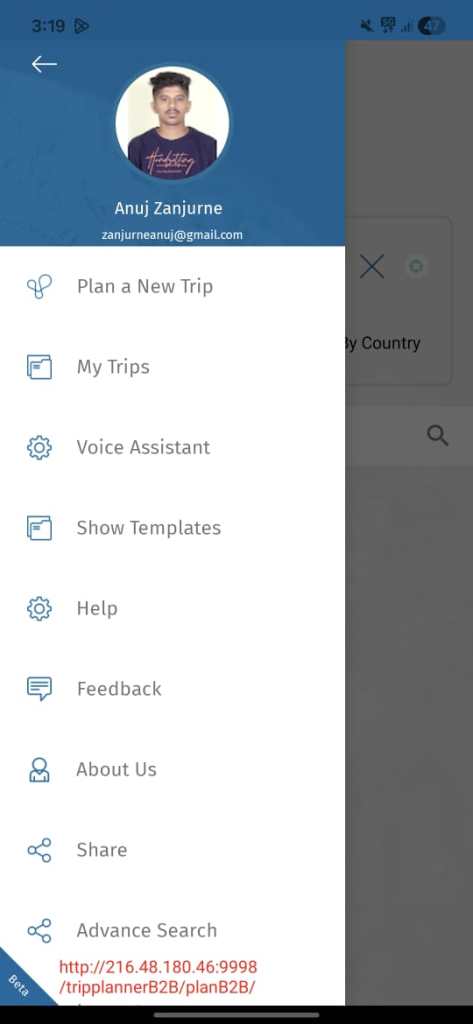
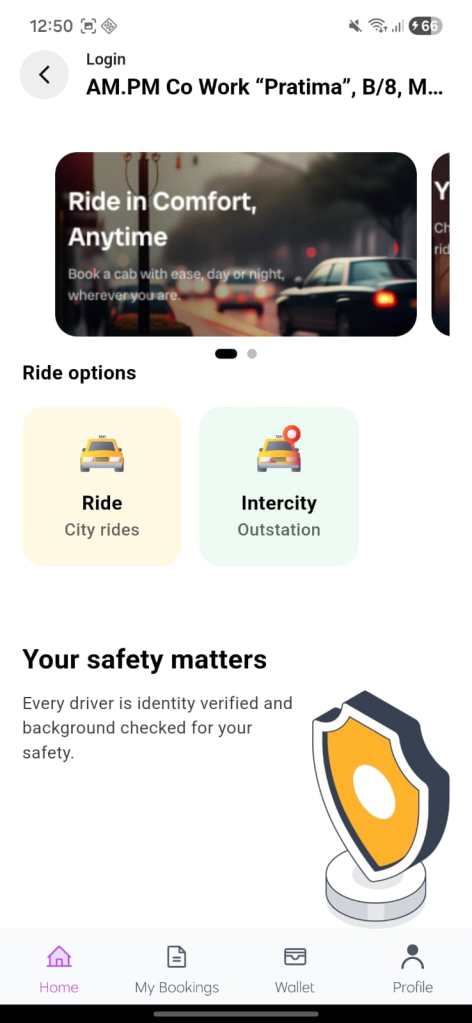
    Vacay is a smart travel planning and itinerary management application designed to simplify trip organization for modern travelers. The app enables users to plan complete trips, manage flights, hotels, transfers, activities, and daily schedules — all within a single, guided mobile experience.

    By combining structured itinerary workflows, cloud synchronization, and an intuitive UI, Vacay eliminates the complexity of manual travel planning and scattered bookings, providing travelers with a seamless and stress-free trip management solution.

    Google Playstore Logo
    iOS AppStore Logo

    App Interface

    Key Features

    1. Guided Itinerary Planning
      • Step-by-Step Trip Builder: Structured flow covering flights, hotels, transfers, activities, and daily plans
      • Timeline-Based View: Visual day-wise itinerary with time-based events
      • Context Preservation: Maintains destination, dates, travelers, and preferences across all steps
    2. Booking & Travel Management
      • Flight Options & Alternatives: Primary and alternate flight selections
      • Hotel & Stay Management: Main and alternative hotel options with pricing details
      • Transfer & Transport Planning: Airport transfers, local travel, and alternate transport choices
    3. Smart Data Handling
      • Centralized Trip Data: All travel components stored in one structured itinerary model
      • Real-Time Updates: Changes reflect instantly across summary, details, and booking views
      • Cloud Sync: Secure storage of itinerary data using Firebase
    4. Visual & UX Enhancements
      • Progress Indicators: Clear visibility of trip completion status
      • Rich Media Support: Images for hotels, destinations, and activities
      • User-Friendly Editing: Easy modification of prices, options, and plans
    5. Reporting & Sharing
      • Trip Summary Generation: Consolidated view of the entire journey
      • Shareable Itineraries: Easy sharing with travelers, agents, or family members
      • Future-Ready Reporting: Designed to support PDF itinerary exports

    Challenges

    1. Data Consistency
      Challenge
      : Keeping flights, hotels, transfers, and activities synchronized across the entire itinerary without data conflicts.
      Solution: Implemented real-time state updates to synchronize changes across all itinerary components.Applied validation rules to prevent conflicting or incomplete itinerary data.
    2. Complex Itinerary Structure
      Challenge
      : Managing multi-day travel plans with multiple options, dependencies, and conditional flows.
      Solution: Structured itinerary data into modular, day-based and segment-based components.Implemented flexible data relationships to support alternate routes and activities
    3. User Experience
      Challenge
      : Designing an intuitive and easy-to-use interface for complex travel data without overwhelming users.
      Solution: Created a step-by-step and timeline-based UI to simplify navigation.Used clear visual hierarchy, icons, and grouping for itinerary sections

    Development Process

    Requirement Analysis & Planning

    • Analyzed real-world travel planning workflows used by travelers and travel consultants
    • Identified core itinerary components including flights, hotels, transfers, activities, and daily schedules
    • Defined a scalable data model to support multi-day itineraries and alternate travel options

    Android Architecture Design

    • Designed a centralized Itinerary Response Model to manage complete trip data
    • Structured the app into modular Android components such as Summary, Details, Bookings, and Timeline views
    • Planned cloud-backed data handling using Firebase for reliability and future scalability

    UI/UX Design for Android

    • Designed Android-optimized layouts following Material Design principles
    • Implemented timeline-based views for clear day-wise travel visualization
    • Ensured smooth navigation and consistent UI patterns across all screens
    • Focused on touch-friendly interactions and readability on multiple screen sizes

    Android Application Development

    • Developed the application specifically for Android devices
    • Implemented reactive state handling to ensure real-time UI updates
    • Built reusable UI components for itinerary sections like flights, hotels, and transfers
    • Added intelligent fallback handling for optional or missing data

    Firebase Integration             

    • Integrated Firebase for secure cloud storage and real-time data synchronization
    • Implemented validation rules to prevent incomplete or inconsistent itineraries
    • Ensured seamless data persistence across user sessions and devices

    Testing & Quality Assurance

    • Performed functional testing across various Android devices and OS versions
    • Tested long itineraries to ensure smooth scrolling and stable performance
    • Validated edge cases such as missing data, alternate options, and large image sets

    Optimization & Deployment Preparation

    • Optimized UI performance for Android-specific rendering
    • Reduced unnecessary rebuilds and memory usage
    • Prepared the application for Google Play Store deployment and future feature enhancements

    Testing and Optimization

    Performance Optimization

    • Itinerary Handling:
      Ensured smooth performance while managing complex, multi-day itineraries with flights, hotels, transfers, and activities.
    • Data Synchronization:
      Validated stable and reliable Firebase synchronization across sessions, even with frequent itinerary updates.
    • Image & Media Performance:
      Optimized image loading and caching to maintain fast screen rendering for hotel and destination images.
    • Stress Testing:
      Evaluated the app’s performance under heavy usage scenarios, such as handling long itineraries, multiple alternate options, and continuous data updates.

    Testing and Optimization

    • Performance Testing
      • Performance Testing
      • Itinerary Handling:
        • Validated smooth performance while managing complex, multi-day itineraries including flights, hotels, transfers, and activities.
      • Data Synchronization:
        • Ensured stable and reliable Firebase synchronization across sessions, even during frequent itinerary updates.
      • Image & Media Performance:
        • Optimized image loading, compression, and caching to maintain fast rendering for hotel and destination visuals.
      • Stress Testing:
        • Tested the application under heavy usage scenarios such as long itineraries, multiple alternate options, and continuous data updates to ensure stability.

    Usability Testing

    • Conducted usability testing with different user groups to refine navigation, timeline clarity, and overall ease of use.
    • Refined onboarding and guided flows to help first-time users quickly understand itinerary creation and management.
    • Improved interaction patterns for editing, selecting alternatives, and navigating between summary and detail views.
    • management compared to traditional travel planning methods.

    Post-Launch Maintenance

    Ongoing Updates

    • Regularly released updates to maintain compatibility with the latest Android OS versions and devices.
    • Introduced UI enhancements, itinerary refinements, and new customization options based on user feedback.
    • Continuously improved itinerary workflows to support more complex trips and alternate travel options.

    Performance Monitoring

    • Utilized analytics and crash reporting tools to track app usage, stability, and performance trends.
    • Monitored real-time data synchronization to ensure itinerary updates remained accurate and reliable.
    • Proactively identified and resolved performance bottlenecks, ensuring a smooth and responsive travel planning experience.

    Outcome

    • High User Satisfaction:
       Achieved strong user satisfaction through an intuitive itinerary flow, clean UI, and reliable performance, resulting in consistently positive user feedback on the Google Play Store.
    • Wide Adoption:
      Increased user adoption within the initial launch phase, driven by clear value proposition, improved discoverability, and optimized Play Store presence.
    • Enhanced Usability:
      Users reported a significant reduction in trip planning time, with faster itinerary setup and easier management compared to traditional travel planning methods.

    Client Testimonial

    “The Vacay app has completely transformed the way we plan and manage our trips. Having flights, hotels, transfers, and daily itineraries organized in one place made travel stress-free. The intuitive interface and clear timeline view helped us stay on track throughout the journey. Kudos to the development team for truly understanding traveler needs and delivering an outstanding experience!”

  • Multi-service App– Case Study

    Multi-service App– Case Study

    Project Overview

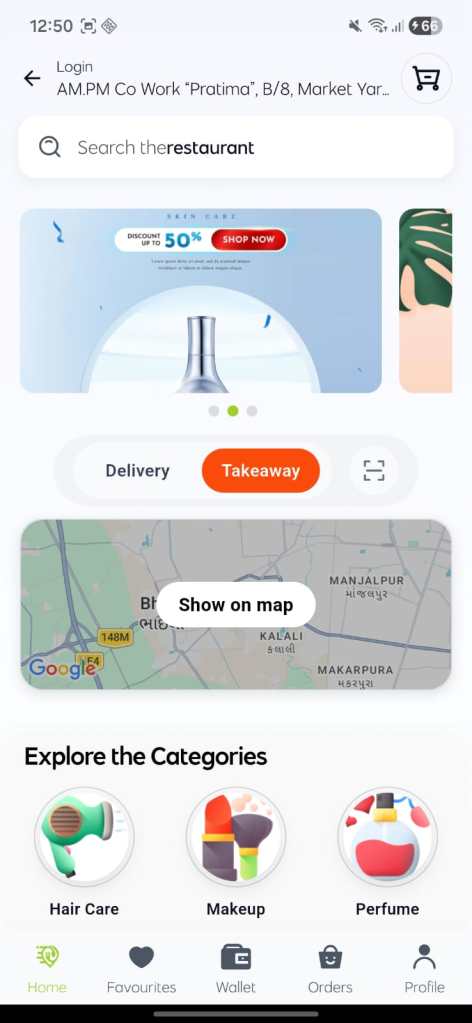
          Multi-services is a comprehensive multi-service customer application designed to provide users with seamless access to on-demand services, including food delivery, dine-in, rentals, parcel services, and professional home services. The app focuses on delivering a fast, reliable, and user-friendly experience while managing complex service workflows through a single, unified platform.

         By combining real-time data handling, intuitive service discovery, and secure cloud-based synchronization, Fastic simplifies everyday service bookings and enhances convenience for modern users.

    Google Playstore Logo
    iOS AppStore Logo

    App Interface

    Key Features

    1. Multi-Service Discovery
      • Category-Based Navigation: Food, Dine-In, Rentals, Parcels, and On-Demand Services
      • Smart Filtering: Service and provider filtering based on category selection
      • Search Functionality: Quick search across services and stores
    2. Service Booking & Management
      • Real-Time Provider Listings: Availability-based service display
      • Detailed Service Pages: Pricing, timing, images, and descriptions
      • Flexible Booking Flow: Date, time, and service customization
    3. Wallet & Payment Handling
      • Integrated Wallet System: Balance checks before booking
      • Secure Transactions: Firebase-backed payment and booking records
      • Instant Validation: Prevents bookings with insufficient balance
    4. Smart Data Handling
      • Centralized Data Models: Unified handling of services, providers, and bookings
      • Real-Time Updates: UI reacts instantly to data changes using GetX
      • Cloud Sync: Secure storage and synchronization via Firebase
    5. UX & Visual Enhancements
      • Skeleton Loaders: Smooth loading experience
      • Animated Transitions: Category selection and service switching
      • Dark & Light Themes: Adaptive UI based on user preference
    6. Localization & Accessibility
      • Multi-Language Support: English & Arabic with runtime switching
      • RTL Layout Handling: Optimized UI for Arabic users
      • Persistent Language Selection: Saved across sessions

    Challenges

    1. Handling Multiple Service Types
      Challenge
      : Supporting multiple service types in one application is challenging due to variations in data models, business workflows, and user interfaces with role-based permissions.
      Solution: GetX manages multiple service types for the user by updating the UI dynamically through reactive state, showing only the relevant data, actions, and permissions.
    2. UI Complexity in Multi-Service Workflow Design
      Challenge
      : Designing an intuitive UI is challenging because complex service workflows can confuse users and increase errors if not presented clearly.
      Solution: An intuitive UI for complex service workflows is achieved by using step-based screens, clear user guidance, and dynamic UI updates based on the selected service type.
    3. Performance Optimization
      Challenge
      : Performance Optimization for Large Service Lists and Images
      Solution: Rendering large service lists and image-heavy content can degrade performance, causing slow loading and poor user experience.

    Development Process

    Requirement Analysis & Planning

    • Analyzed real-world customer service usage patterns
    • Identified common workflows for food, rentals, parcels, and on-demand services
    • Designed scalable models to support diverse service types

    Application Architecture Design

    • Built modular Flutter architecture using GetX.
    • Centralized controllers for category selection and service filtering
    • Designed Firebase-backed models for bookings, users, and providers

    UI/UX Design

    • Implemented clean, mobile-first layouts
    • Focused on fast navigation and minimal user actions
    • Ensured consistent UI behavior across all service modules

    Flutter Application Development

    • Developed cross-platform Flutter app
    • Used reactive state management for real-time UI updates
    • Built reusable widgets for service cards, categories, and lists
    • Added graceful fallback handling for empty or missing data

    Firebase Integration

    • Cloud Firestore for service, booking, and user data
    • Secure data validation to prevent inconsistent bookings
    • Persistent user sessions and saved preferences

    Testing & Quality Assurance

    • Tested across multiple Android devices and screen sizes
    • Validated service filtering, booking flows, and wallet logic
    • Ensured stability with large service datasets

    Optimization & Deployment Preparation

    • Reduced unnecessary widget rebuilds
    • Optimized image loading and caching
    • Prepared app for Play Store deployment and scalability

    Testing and Optimization

    Performance Testing

    • Ensured smooth scrolling for large service lists
    • Tested real-time updates under frequent category changes
    • Optimized image caching and skeleton loading

    Usability Testing

    • Refined category selection and filtering behavior
    • Improved booking flow clarity and feedback
    • Enhanced error messaging and empty-state handling

    App Store and Play Store Optimization

    • Keyword Research:
      • Identified high-impact keywords related to the Fastic customer application, such as “fasting tracker,” “intermittent fasting app,” “diet tracking,” and “health & wellness app.”
    • App Store Listings:
      • Created engaging and informative descriptions highlighting key features of the Fastic customer application to attract and retain users.
      • Designed visually appealing screenshots and demo videos to clearly showcase app functionality and user experience.
    • User Reviews:Actively monitored and responded to user feedback on both platforms, promptly addressing issues to maintain high ratings and improve user satisfaction.

    Post-Launch Maintenance

    Ongoing Updates

    • Continuous UI/UX improvements based on user feedback
    • Added new services and feature refinements
    • Improved localization and theme consistency

    Performance Monitoring

    • Monitored Firebase data sync and app stability
    • Tracked user behavior to improve service discoverability
    • Addressed performance bottlenecks proactively

    Outcome

    • High User Satisfaction: Users appreciated the clean UI, fast navigation, and seamless service booking experience, resulting in consistently positive feedback.
    • Wide Adoption: The unified multi-service approach increased user engagement and repeat usage across different service categories.
    • Enhanced Usability: Users reported significantly faster service discovery and booking compared to using multiple standalone apps.

    Client Testimonial

    “Fastic has completely simplified how we access daily services. From food delivery to parcel booking, everything is available in one app with a smooth and intuitive experience. The real-time updates and clean design make it incredibly easy to use. A truly reliable and well-built platform.”experience!”

  • Canicalm Smart App: Android & iOS Case Study

    Canicalm Smart App: Android & iOS Case Study

    Project Overview

    The Canicalm Smart App is designed to enhance the functionality of the NUM’AXES Canicalm Smart Dog Bark Collar. It allows dog owners to track, analyze, and manage their pet’s barking behavior efficiently. The app operates on both Android and iOS platforms, connecting seamlessly with the collar via BLE (Bluetooth Low Energy) technology.

    Google Playstore Logo
    iOS AppStore Logo

    App Interface

    Key Features

    1. Behavior Analysis:
      • Analyze your dog’s behavior even in your absence.
      • Set customized schedules based on barking patterns.
    2. Barking Log:
      • Track statistics such as the number of barks, their timing, and the stimuli triggered.
      • Visualize data in ring charts, histograms, or table formats.
    3. Multiple Dog Management:
      • Create unique profiles and schedules for each dog.
      • Switch between profiles easily for detailed tracking.
    4. Real-Time Insights:
      • Immediate syncing of barking data from the collar to the app.
      • Receive live notifications about barking activity.
    5. Cross-Platform Support:
      • Available for both Android and iOS devices.
      • Designed for seamless performance across diverse smartphones and tablets.

    Challenges

    1. BLE Connectivity
      Challenge: Ensuring stable Bluetooth communication between the app and the Canicalm Smart Dog Bark Collar across different devices.
      Solution: Conducted thorough testing and optimized the BLE protocol for seamless, reliable connectivity.
    2. Real-Time Data Sync
      Challenge: Synchronizing real-time barking data despite fluctuating connectivity.
      Solution: Implemented offline caching and background sync to ensure smooth data updates when the connection was restored.
    3. Battery Optimization
      Challenge: Preventing excessive battery drain due to continuous BLE usage and syncing.
      Solution: Optimized the app’s power consumption by reducing sync frequency and enabling background mode during periods of inactivity.

    Development Process

    Platform-Specific Adaptations

    • Android:
      • Leveraged BLE APIs to ensure robust connectivity across devices with Android 6.0 and above.
      • Focused on memory optimization for low-RAM devices.
    • iOS:
      • Implemented CoreBluetooth frameworks to maintain reliable BLE communication.
      • Enhanced app compatibility for devices running iOS 12.0 or later.

    UI/UX Enhancements

    • Designed user-friendly interfaces with platform-specific guidelines:
      • Material Design for Android.
      • Human Interface Guidelines for iOS.
    • Developed a consistent yet adaptive layout to accommodate various screen sizes.
    • Incorporated intuitive navigation, such as easy toggles for viewing dog profiles and accessing statistics.

    Integration of Key Functionalities

    • Established seamless BLE communication to ensure uninterrupted syncing of barking data.
    • Added offline caching for scenarios where connectivity is temporarily lost.
    • Developed data visualization tools to present behavior statistics in a user-friendly format.

    Testing and Optimization

    Performance Testing

    • BLE Connectivity: Ensured smooth and stable connection between the app and the collar across different devices and environments.
    • Battery Optimization: Minimized BLE power consumption to enhance device battery life during prolonged use.
    • Stress Testing: Evaluated the app’s performance under heavy loads, such as managing multiple dog profiles simultaneously.

    Usability Testing

    • Conducted user testing with diverse focus groups to fine-tune navigation and feature accessibility.
    • Refined onboarding flows to guide first-time users effectively.

    App Store and Play Store Optimization

    • Keyword Research:
      • Identified popular keywords like “dog behavior tracking,” “bark control,” and “pet management app.”
    • App Store Listings:
      • Created engaging descriptions, highlighting key features to attract potential users.
      • Designed visually appealing screenshots and demo videos to showcase the app’s functionality.
    • User Reviews: Actively monitored feedback on both platforms, addressing issues promptly to maintain high ratings.

    Post-Launch Maintenance

    Ongoing Updates

    • Regularly released updates to improve compatibility with the latest Android and iOS versions.
    • Added new visualizations and customization options based on user feedback.

    Performance Monitoring

    • Utilized analytics tools to track app usage and identify areas for improvement.
    • Monitored real-time data to ensure BLE connectivity issues were swiftly resolved.

    Outcome

    • High User Satisfaction: Achieved an average rating of 4.7+ on both the Google Play Store and Apple App Store.
    • Wide Adoption: Increased downloads by 40% within the first three months due to effective app store optimization and marketing.
    • Enhanced Usability: Users reported a 50% reduction in setup time compared to previous apps.

    Client Testimonial

    “The Canicalm Smart App has completely transformed the way we interact with our dogs. The intuitive interface and detailed barking logs have made behavior management effortless. Kudos to the development team for understanding our needs and delivering a fantastic app!”

  • Asthma Log Book App Case Study

    Asthma Log Book App Case Study

    Project Overview

    The Asthma Log Book App is a comprehensive self-management tool designed to help asthmatic patients track their inhalation practices, monitor their progress, and stay informed about environmental factors that may impact their health. It allows users to set personalized medication reminders and offers real-time environmental alerts. This app simplifies asthma management by providing valuable insights, helping patients adhere to their prescribed treatment plans.

    Google Playstore Logo


    App Interface

    Key Features

    • Inhalation Technique Tracking: Guides users to master the correct inhalation techniques and tracks their progress.
    • Daily Dose Reminders: Personalized notifications for timely medication intake.
    • Progress Monitoring: Visualizes improvements in inhalation characteristics over time.
    • Environmental Alerts: Real-time updates on pollen count and air quality, helping users make informed decisions.
    • User-Friendly Log Book: A digital diary to log symptoms, medication, and asthma triggers.

    Android Development Process

    1. Discovery and Planning

    • User Research: Interviewed asthma patients to understand their challenges, tracking habits, and medication adherence behaviors.
    • Platform-Specific Design: Designed intuitive, accessible UIs for Android and iOS, focusing on simple navigation and user-friendly interfaces suitable for all age groups.

    2. Development & Optimization

    • Inhalation Tracking: Created a feature that educates users on proper inhalation techniques and records their progress on both Android and iOS platforms.
    • Medication Reminders: Built a reliable notification system to ensure timely medication reminders on both platforms, with personalized settings.
    • Environmental Data Integration: Incorporated real-time data for air quality and pollen count using APIs, delivering relevant environmental alerts for users.
    • Battery Efficiency: Optimized app processes to minimize battery usage while tracking and delivering notifications on both platforms.
    • Log Book: Developed a comprehensive and easy-to-use log book to track symptoms, triggers, and medication history.

    3. Cross-Platform Testing & Debugging

    • Compatibility Testing: Performed rigorous testing on both Android and iOS devices to ensure smooth functionality, including notification accuracy and environmental data updates.
    • Usability Testing: Conducted beta testing with asthma patients to validate the effectiveness and ease of use of key features such as reminders and progress monitoring.

    Post-Launch Maintenance

    1. Bug Fixes & Updates

    • Bug Monitoring: Continuously tracked user feedback and bug reports to quickly resolve any performance issues or bugs across devices.
    • Feature Updates: Regularly pushed updates to both the Google Play Store and Apple App Store, improving feature functionality and fixing minor issues identified by users.

    2. Performance Optimization

    • User Feedback: Gathered insights from users to identify areas for improvement, focusing on battery usage, notification accuracy, and ease of use.
    • App Updates: Released updates to improve overall performance, ensure stability, and optimize resource usage for both platforms.

    3. Feature Enhancements

    • Inhalation Progress Enhancements: Added visual tracking features to better display progress over time, including graphical representations and milestone achievements.
    • Environmental Alerts Improvement: Fine-tuned the environmental alerts to provide more personalized notifications based on location, ensuring greater relevance to the user.

    4. App Store Optimization (ASO) & Play Store Optimization (PSO)

    • App Listing Updates: Optimized the app descriptions, screenshots, and keywords for both Google Play Store and Apple App Store, improving search visibility and app discoverability.
    • Review Management: Actively engaged with users through responses to reviews, addressing concerns promptly and improving overall user trust and satisfaction.

    5. Ongoing User Support

    • Customer Support: Provided continuous support for troubleshooting issues with inhalation tracking, notifications, and environmental data retrieval.
    • Bug Reporting: Simplified the bug reporting process, allowing users to submit feedback directly from the app for quicker resolution.

    Outcome

    The Asthma Log Book App has empowered asthma patients to manage their condition more effectively. The combination of progress tracking, medication reminders, and real-time environmental alerts has significantly improved patient adherence to prescribed regimens, resulting in better asthma management. The app’s user-centric design and ongoing optimization have made it a valuable tool for improving patient well-being.

    Client Testimonial

    “This app has completely transformed the way I manage my asthma. The inhalation technique tracker helps me use my inhaler correctly, and the daily reminders ensure I take my medication on time. The environmental alerts give me peace of mind, allowing me to plan my day around potential asthma triggers.”

  • Spirometry Device Android App Case Study

    Spirometry Device Android App Case Study

    Project Overview

    The Spirometry Device Android App is a pioneering healthcare application designed to work seamlessly with India’s first pneumotach-based portable wireless spirometer for diagnosing Chronic Obstructive Pulmonary Disease (COPD)and asthma. Through Bluetooth Low Energy (BLE) connectivity, the app enables real-time data synchronization with the device, allowing healthcare providers to access, generate, and share spirometry test reports instantly. This app enhances the efficiency of respiratory diagnostics by offering portability, ease of use, and secure data management for medical professionals.

    Google Playstore Logo
    iOS AppStore Logo


    App Interface

    Key Features

    • Real-Time Data Synchronization: Instant retrieval of spirometry test data via BLE connection with the spirometer.
    • Report Generation: Generates comprehensive reports visualized through interactive charts and graphs.
    • Printing Capability: Direct printing of reports using a portable wireless thermal printer for on-the-spot patient communication.
    • PDF Sharing: Generates professional-grade PDF reports that can be shared via email or other platforms.
    • Secure Data Management: Ensures patient information is securely stored and compliant with healthcare regulations like HIPAA.

    Android Development Process

    1. Discovery and Planning

    • Healthcare Professional Feedback: Engaged with doctors and technicians to understand existing workflow challenges, ensuring the app meets clinical needs.
    • Technical Evaluation: Assessed BLE protocols and compatible thermal printer APIs to guarantee smooth app-device integration.

    2. Development & Optimization

    • BLE Connectivity: Developed a robust BLE communication protocol for stable and fast data transfer between the app and the spirometer, with error handling for seamless pairing.
    • Real-Time Reporting: Designed a dynamic report generation system that allows healthcare providers to instantly view, analyze, and interpret spirometry results through intuitive charts and graphs.
    • Printing Integration: Created a universal interface that supports multiple portable wireless thermal printer models, ensuring compatibility across devices.
    • Secure Data Management: Implemented secure data storage and patient privacy protocols in compliance with healthcare regulations (HIPAA), ensuring that all medical data is protected.
    • User Interface (UI) Design: Developed a simple, intuitive interface tailored to healthcare professionals, making navigation quick and easy during high-pressure environments.

    3. Cross-Device Testing & Debugging

    • Compatibility Testing: Tested the app on various Android devices to ensure uniform performance and BLE connectivity.
    • Performance Stress Testing: Performed extensive testing on BLE performance under different real-world scenarios, ensuring stable data transfer even in complex environments.
    • Usability Testing: Conducted beta testing in clinical settings to refine the app’s user interface and ensure it meets the needs of healthcare providers.

    Post-Launch Maintenance

    1. Bug Fixes & Updates

    • Error Resolution: Continuously monitored for bugs related to BLE connectivity, printing issues, and data synchronization, providing prompt fixes after receiving feedback from healthcare professionals.
    • System Updates: Released regular updates to improve the app’s performance, stability, and support for newer Android devices and thermal printer models.

    2. Performance Optimization

    • App Stability: Worked on optimizing BLE communication protocols to handle large-scale data transfer without bottlenecks, improving app performance.
    • Battery Efficiency: Implemented optimizations to ensure that the app’s data retrieval and communication with the spirometer do not significantly drain device batteries.

    3. New Feature Additions

    • Cloud Sync: Added cloud synchronization capabilities, allowing healthcare providers to store and access patient data remotely for enhanced accessibility.
    • Report Customization: Introduced options for customizing spirometry reports to meet specific clinic or hospital requirements.

    4. App Store Optimization (ASO)

    • App Store Listing: Updated the Google Play Store description, including optimized keywords, screenshots, and features to improve the app’s discoverability.
    • Review Management: Responded to reviews and addressed concerns regarding connectivity and performance issues, building stronger user trust and satisfaction.

    5. Ongoing User Support

    • Customer Support: Offered dedicated customer support to assist with troubleshooting connectivity issues, report generation, and printer integrations.
    • Training Material: Provided comprehensive in-app tutorials and training videos to help healthcare providers maximize the app’s features.

    Outcome

    The Spirometry Device Android App has revolutionized respiratory diagnostics by enabling healthcare providers to conduct faster, more efficient spirometry tests. The app’s seamless BLE data synchronization, instant report generation, and real-time printing and sharing capabilities have significantly improved clinical workflows and patient care. Its user-friendly interface and secure data management make it an invaluable tool for modern healthcare facilities.

    Client Testimonial

    “The Android app, combined with the portable spirometer, has transformed our respiratory diagnostic process. Real-time reporting, printing, and data sharing have made our clinic more efficient and streamlined. Our patients are happier with quicker results and enhanced communication.”

  • Enhancement, Development, and Maintenance for a Hospital Management App (Android, iOS, and Windows)

    Enhancement, Development, and Maintenance for a Hospital Management App (Android, iOS, and Windows)

    Project Overview

    The Hospital Management App is an essential tool in an Automated Equipment Maintenance system, designed to enhance operational efficiency in hospitals. It enables technicians to manage work orders and perform vital maintenance tasks remotely. This app operates across Android, iOS, and Windows platforms, ensuring seamless access for technicians, whether on mobile devices or desktop computers. The app was developed using Xamarin, a cross-platform framework, which allows for shared codebase and optimized performance across all platforms.

    Google Playstore Logo

    App Interface

    Key Features

    • Cross-Platform Functionality: Works seamlessly on Android, iOS, and Windows devices, developed using Xamarin to share a common codebase.
    • Technician Logins: Provides access across single or multiple assigned hospitals, with secure login features.
    • Maintenance Tasks:
      • Preventive Maintenance (PM) sweeps in hospital departments.
      • Work on assigned Corrective Maintenance (CM) jobs.
      • Complete Corrective Maintenance (CM) work orders.

    Challenges

    • Performance: Technicians experienced delays in performing PM sweeps and managing work orders due to unoptimized workflows.
    • Usability: The app required a user-friendly interface for easier navigation and task management across all platforms.
    • Compatibility: Needed to ensure smooth functionality on Android, iOS, and Windows, with seamless adaptation to various hospital infrastructures.

    Our Approach

    • Gap Analysis: Conducted a comprehensive gap analysis to identify performance bottlenecks, workflow improvements, and platform inconsistencies.
    • Stakeholder Collaboration: Worked closely with hospital stakeholders to redefine priorities, streamline maintenance processes, and ensure seamless cross-platform functionality, leveraging Xamarin for efficient development.

    Process

    Discovery and Optimization

    • User Research: Gathered feedback from technicians and hospital staff to understand pain points and feature priorities.
    • System Audit: Assessed the app’s existing architecture and its integration with the Automated Equipment Maintenance system, ensuring compatibility with Android, iOS, and Windows.

    Development and Enhancements

    • Workflow Optimization: Improved task management features for PM and CM to reduce completion times and improve performance across all platforms.
    • UI/UX Improvements: Designed intuitive interfaces for Android, iOS, and Windows platforms to ensure ease of navigation and task management.
    • Multi-Hospital Support: Enhanced scalability to accommodate maintenance tasks across various hospitals seamlessly, supporting both mobile (Android and iOS) and desktop (Windows) platforms.

    Integrations

    • Cross-Platform Support with Xamarin: Leveraged Xamarin to ensure consistent functionality and user experience on Android, iOS, and Windows devices, using a shared codebase for all platforms.
    • Secure Login: Upgraded technician authentication protocols to improve security, including biometric options for mobile platforms.
    • Real-Time Updates: Integrated push notifications for Android and iOS devices, while implementing desktop notifications for Windows users to keep technicians informed about work order changes.

    Hosting and Maintenance

    • Testing: Conducted extensive cross-platform testing on Android, iOS, and Windows to ensure the app performed optimally under high user loads.
    • Maintenance Plan: Implemented an annual maintenance plan for regular updates and support across all platforms, addressing evolving hospital needs and technological advancements.

    Client Testimonial

    “The Hospital Management app has been a game-changer for our technicians. The improvements have streamlined how we handle PM and CM tasks, significantly boosting efficiency across our hospital network. The team’s dedication to understanding our needs and delivering solutions that work across Android, iOS, and Windows platforms using Xamarin has been exceptional!”

  • Baby Tracker App (Android & iOS)Enhancement, Development, and Maintenance

    Baby Tracker App (Android & iOS)Enhancement, Development, and Maintenance

    Project Overview

    The Baby Tracker App helps parents monitor their baby’s growth, milestones, and health during the crucial first 1,000 days. With over 80 million users and an impressive 4.5-star rating, the app provides personalized tools, expert advice, and engaging features to support new parents in their journey. The app is developed using Java for Android and Swift for iOS, ensuring high performance across both platforms.

    Google Playstore Logo

    App Interface

    Key Features

    • Parenting Guides:
      • Daily blogs with helpful tips for new parents.
      • Weekly updates on the baby’s developmental milestones.
      • Breastfeeding tutorials and post-labor recovery advice.
      • Fun and engaging activities for the baby.
    • Tracking Tools:
      • Track baby’s growth, feeding, and weight.
      • Monitor sleep patterns and soothing habits.
      • Health tracker for medications, vaccinations, and doctor appointments.
      • Nappy tracker for diaper changes.
    • Memory Features:
      • Document milestones and keep a daily journal.
      • Track teething progress.
      • Personalize your baby’s name and photo.
    • Customization:
      • Tailored parenting guides based on your baby’s age.
      • Support for tracking multiple children.
      • Share updates with family and friends.
    • Other Features:
      • Appointment tracker for both baby and parents.
      • Calming lullabies and white noise to help soothe the baby.

    Challenges

    • User Engagement: Maintaining fresh, relevant, and engaging content for a diverse user base.
    • Performance: Ensuring the app runs smoothly across all devices and regions, especially given the large user base.
    • Scalability: Supporting multiple children tracking without negatively affecting the app’s performance.

    Our Approach

    • Parent-Centered Research: Collected feedback from real parents to understand their needs and challenges, tailoring features based on this input.
    • Prioritized Features: Focused on delivering the most essential and impactful tools for parents, ensuring the app’s effectiveness.
    • Continuous Improvement: Implemented regular updates based on user feedback to meet the evolving needs of parents, introducing new features and optimizing performance.

    Process

    Discovery and Optimization

    • User Research: Conducted in-depth research to gather insights from parents, identifying key pain points and areas for improvement.
    • App Assessment: Reviewed the app’s architecture and current functionality to pinpoint areas for performance optimization and UX enhancements.

    Development and Enhancements

    • Enhanced Functionality:
      • Improved tracking features, providing more detailed tracking options and real-time reminders for parents.
    • UI/UX Improvements: Refined the design to create an intuitive, easy-to-navigate interface, ensuring a seamless experience across both Android and iOS platforms.
    • Memory Features: Enhanced the ability to capture and store significant moments in the baby’s life, such as first steps or first words, to create lasting memories.

    Integrations

    • Global Compatibility: Optimized the app for smooth operation across regions and devices, ensuring a consistent experience for all users.
    • Security: Strengthened data protection protocols to ensure the privacy and security of families and their baby’s data.
    • New Additions: Regularly introduced new lullabies and calming sounds, improving the user experience each month.

    Hosting and Maintenance

    • Stress Testing: Conducted rigorous testing to ensure the app can handle high user loads, especially during peak usage times such as baby milestones or parenting events.

    Regular Updates: Provided consistent updates to introduce new features, improve performance, and keep up with emerging parenting trends and user expectations.

    Client’s Testimonials

    “The Baby Tracker App has been essential for our parenting journey. From milestone tracking to expert tips, everything we needed was in one place. The team truly understands parents’ needs and continuously enhances the app with relevant features!”

  • CEAT ASSIST Android App: Enhancement, Development, and Maintenance

    CEAT ASSIST Android App: Enhancement, Development, and Maintenance

    Project Overview

    The CEAT ASSIST Android app is a user-friendly mobile solution developed by Ceat Ltd to assist users with tire management and related services. The app helps users locate service centers, track tire purchases, and access critical product information, making it an essential tool for tire management.

    App Details

    • Platform: Android
    • Development: Java
    • Rating: 4.1 stars
    • Reviews: 1.46K reviews
    • Downloads: 100K+
    Google Playstore Logo
    iOS AppStore Logo

    App Interface

    Key Features

    • Service Center Locator: Find authorized CEAT service centers in your area.
    • Tire Purchase Tracking: Monitor tire purchases, warranties, and service history.
    • Product Information: Access detailed specifications and descriptions of CEAT tire products.
    • Maintenance Reminders: Receive notifications for tire checks, maintenance, and servicing.

    Challenges

    • Performance: Ensuring smooth app performance across a wide range of Android devices.
    • Usability: Improving user navigation to cater to both new and existing users.

    Compatibility: Guaranteeing that the app works efficiently on various Android smartphone models.

    Our Approach

    • Conducted performance analysis to optimize speed and reduce latency.
    • Refined the UI/UX design to provide a simpler and more intuitive experience.
    • Focused on enhancing compatibility across different Android versions and devices.

    Process

    Discovery and Optimization

    • User Feedback: Gathered insights from users to identify key pain points and features to improve.
    • System Audit: Reviewed backend performance to enhance app speed and responsiveness.

    Development and Enhancements

    • Feature Optimization: Improved the tire tracking system and service reminders for a more efficient user experience.
    • UI/UX Refinement: Simplified the app interface for better navigation and user satisfaction.
    • Compatibility Enhancements: Ensured the app runs seamlessly across a wide range of Android devices.

    Integrations

    • Cross-Device Compatibility: Optimized the app to ensure it works smoothly on various Android smartphones.
    • Security Enhancements: Strengthened authentication mechanisms for secure user access.
    • Push Notifications: Integrated push notifications to remind users about tire servicing and updates.

    Hosting and Maintenance

    • Performed rigorous testing to ensure the app could handle peak user loads.
    • Developed an ongoing maintenance plan for regular updates and feature improvements.

    Client Testimonial

    The CEAT ASSIST app has significantly enhanced the way we serve our customers. The improvements in performance and user interface have made it more accessible and easy to use. We’re thrilled with the response from our users and appreciate the development team’s dedication to excellence.”